SonicWall CVE-2026-19868: When SAML MFA Has a Side Door
CVE-2026-19868 lets valid credentials for an alternate login skip SAML and MFA on SonicWall SSL-VPNs. What is confirmed, how to detect it and how to fix it.
On 6 November 2026, SonicWall disclosed CVE-2026-19868. On SonicWall Gen 7 and Gen 8 firewalls that use SAML for SSL-VPN logins, someone with valid credentials for an “alternate” authentication method may get past the SAML controls, including the multi-factor authentication (MFA) the identity provider (IdP) enforces [1]. CISA added it to its Known Exploited Vulnerabilities (KEV) catalog the same day [5]. The fix is a firmware upgrade, and since 9 November SonicWall also lists a workaround [1]. The broader lesson is that MFA protects a path, not a person: it only works if every way into the service passes through it.
Executive summary
Many organizations moved VPN authentication to SAML single sign-on so that their identity provider, rather than the firewall, decides who gets in. That design is sound, and in 2025 it was suggested as a hardening step after Arctic Wolf saw no malicious VPN logins on accounts that used SSO/SAML [13]. CVE-2026-19868 undermines it. On affected SonicOS builds, the SSL-VPN service can accept credentials from another authentication method for logins that should be governed by SAML [1]. When that happens the IdP is not involved, so its MFA prompt, conditional access policies and sign-in logs never come into play.
For executives, the exposure is simple to state: a stolen or stale password for a directory or AAA account may be enough to open a remote-access session that your security reporting describes as MFA-protected. For security teams, the harder problem is detection, because the main evidence of abuse is an IdP event that never happened. For architects, this is not the first time SonicWall SSL-VPN MFA enforcement has failed in this way. CVE-2024-12802, disclosed in January 2025, let attackers skip MFA by logging in with a second account-name format [10][11]. Separately, in 2025 Arctic Wolf saw malicious logins succeed against OTP-protected accounts by a method it could not determine [13]. The two confirmed vulnerabilities share a design pattern: MFA is enforced on one login path while another path stays open.
Why this matters now
The timeline is short, and the public facts are clear:
| Date (2026) | Event |
|---|---|
| 20 October | SonicOS 7.3.4-7013, the minimum fixed Gen 7 build, is available [2] |
| 3 November | SonicWall publishes a product notice announcing a security advisory for Gen 7 and Gen 8 firewalls [2] |
| 5 November | SonicOS 7.3.4-7015 (Gen 7) released [2] |
| 6 November | Advisory SNWLID-2026-0014 and the CVE record published. SonicOS 8.2.3 (Gen 8) scheduled for release. CISA adds the CVE to the KEV catalog [1][2][3][5][6] |
| 9 November | Advisory revised to version 1.1: workaround added for CVE-2026-19868. Coverage from 6 November reported that no workaround existed [1][7] |
| 20 November | KEV remediation deadline for US federal civilian agencies [4][5] |
SonicWall describes the issue as “an authentication enforcement vulnerability in SonicOS SSLVPN service” that “may allow a user with valid credentials for an alternate authentication method to bypass SAML authentication controls,” including SAML-enforced MFA. It applies only “if SAML is enabled for SSLVPN logins” [1]. The weakness is classed as CWE-308, Use of Single-factor Authentication [1][3].
SNWLID-2026-0014 covers seven CVEs. The advisory’s headline score of 8.8 belongs to a different vulnerability in the same bundle, so it should not be quoted for this one [1]. Two scores exist for CVE-2026-19868:
| Scoring authority | CVSS version | Score | Vector | Where it appears |
|---|---|---|---|---|
| SonicWall PSIRT | 3.1 | 7.1 (High) | AV:N/AC:H/PR:L/UI:N/S:C/C:H/I:L/A:N |
Advisory SNWLID-2026-0014 [1] |
| CISA ADP (Vulnrichment) | 3.1 | 7.5 (High) | AV:N/AC:H/PR:N/UI:N/S:C/C:H/I:L/A:N |
CVE record; shown by NVD as a secondary score [3][4] |
| NIST NVD | not yet scored | — | — | Status “Undergoing Analysis” on 9 November [4] |
The vectors differ in a single metric: privileges required. SonicWall scores it Low, CISA scores it None, and every other metric is identical. Neither organization has published its reasoning. The practical takeaway is the same either way: exploitation needs valid credentials for an alternate method, but no prior access to the VPN. SonicWall’s own entry in the CVE record carries no CVSS metric, which is why the CVE record shows only CISA’s 7.5 [3]. CISA’s SSVC assessment records exploitation as active, the flaw as not automatable and the technical impact as partial [3][4].
Affected versions are Gen 7 SonicOS 7.3.3-7015 and older, and Gen 8 SonicOS 8.2.2-8015 and older, on physical and virtual (NSv) firewalls. Fixed versions are 7.3.4-7013 and later, and 8.2.3-8015 and later [1]. Gen 6 appliances are not listed, but they are past end of support and will receive no fixes; SonicWall advises moving them to Gen 8 [2].
There are limits to what has been confirmed. SonicWall says only that its PSIRT “has investigated a report indicating potential exploitation” [1]. CISA’s KEV listing is what establishes exploitation in the wild [5]. We found no published indicators of compromise, victim counts, actor attribution or post-access activity as of 9 November 2026. The vulnerability was reported by Ryan Harris of The Electronic Office [1].
Understanding the threat: one service, several ways to log in
How SAML is supposed to protect the VPN
In a SAML deployment, two parties share the work. The service provider (SP), here the SonicWall SSL-VPN, owns the resource. The identity provider (IdP), for example Microsoft Entra ID, Okta or Google Workspace, owns the user’s identity. In SP-initiated single sign-on, the SP sends the user to the IdP with an authentication request. The IdP authenticates the user and returns a signed assertion. The SP validates that signature against the IdP certificate it trusts before creating a session [16][17].
That split puts every identity control in the IdP. Password or passwordless checks, MFA, conditional access, risk scoring and the sign-in log all happen there. Microsoft Entra ID, for example, records each SAML sign-in against the application, with the user’s object ID and whether MFA was required [17][18]. The firewall’s job on this path is narrower: redirect, validate the assertion, map the user to VPN access, and refuse anything else.
That last duty is the MFA enforcement boundary. The IdP can enforce MFA only on authentications that are routed to it. Whether a given login is routed to it is decided by the SP. If the SP accepts any other proof of identity, MFA is no longer enforced for that login, however strict the IdP policy is.
Why a SonicWall may have more than one way in
SonicOS can authenticate users against a local user database, LDAP, RADIUS, a combination of the local database with LDAP or RADIUS, or SAML with an external IdP [14]. It can also use TACACS+ servers, which SonicWall’s workaround names [1]. Real deployments often have several of these configured at once. A firewall first set up with local VPN accounts, later connected to Active Directory over LDAP, and finally switched to SAML may still hold the earlier servers and accounts. They may also still be in use for other purposes, such as administrator login.
CVE-2026-19868 is a failure at the enforcement boundary: when SAML is enabled for SSL-VPN, a credential checked by one of those other methods can still be accepted [1]. Because the IdP is never asked, it has nothing to evaluate and nothing to log. That is why the expected IdP sign-in event is absent, and why the absence is the most dependable signal.
What is confirmed and what is not
SonicWall has not published the internal mechanism. The table separates vendor statements from inference:
| Statement | Status | Source |
|---|---|---|
| Affects the SonicOS SSL-VPN service only when SAML is enabled for SSL-VPN logins | Vendor-confirmed | [1] |
| A user with valid credentials for an alternate authentication method may bypass SAML controls, including SAML-enforced MFA | Vendor-confirmed | [1][3] |
| Exploited in the wild | CISA KEV listing; SonicWall says it investigated a report of “potential exploitation” | [1][5] |
| The IdP records no sign-in for a bypassed login | Inference: the SAML exchange, and therefore the IdP, is bypassed | [1] |
| LDAP, RADIUS and TACACS+ authentication servers are involved | Implied: the workaround is to disable or delete them | [1] |
| Accounts in the local user database are also affected | Not stated by SonicWall | — |
| Which client, endpoint or request sequence is used | Not disclosed | — |
| Whether SonicOS logs which method authenticated each session | Not documented in the sources reviewed | — |
Independent write-ups that describe a specific request flow are reconstructions. Ostorlab, for example, says SonicWall published no code path or patch diff and that no public proof of concept exists [9].
How the attack works
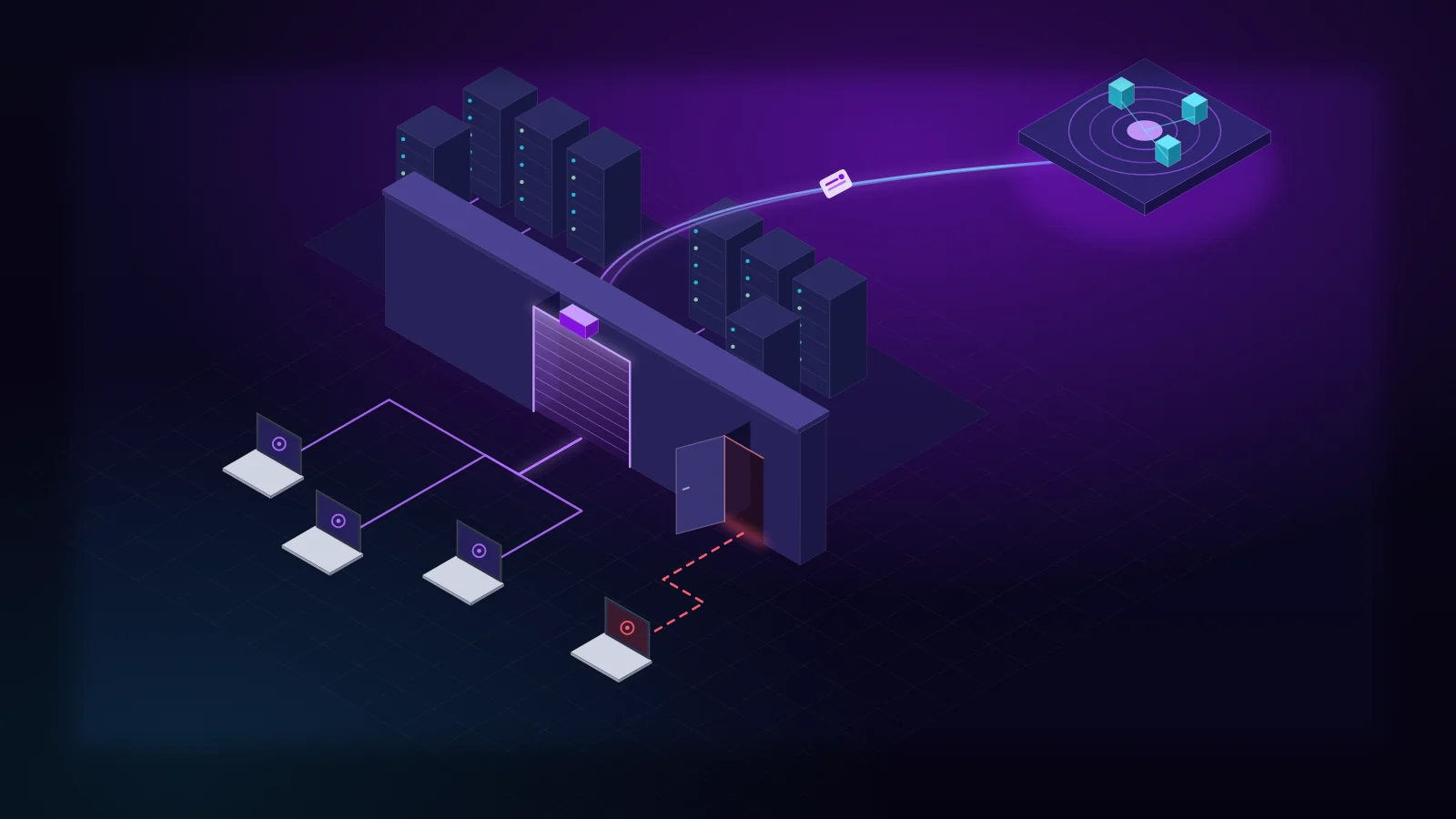
Figure 1 contrasts the intended SAML path with the alternate path. Look at where each path crosses into the identity provider, and where the alternate path does not. The alternate path’s credential check is drawn as inferred, because SonicWall has not described it.

Figure 1. With SAML enabled, the expected path (violet) passes through the IdP’s MFA and logging. On vulnerable builds the alternate path (red) can yield a session without it. Step B is inferred from SonicWall’s workaround.
Bounded by what has been disclosed, the attack chain is short:
- Obtain credentials for an authentication method other than SAML that the firewall uses, for example a directory account checked over LDAP (MITRE ATT&CK T1078, Valid Accounts [22]).
- Authenticate to the internet-facing SSL-VPN with those credentials instead of completing the SAML exchange (T1133, External Remote Services [22]).
- Receive a VPN session with the network access assigned to that account. The IdP generates no MFA prompt, conditional access evaluation or sign-in record.
Our interpretation. The workaround names LDAP, RADIUS and TACACS+ servers. That suggests that, on vulnerable builds, an SSL-VPN login can still be validated against those servers even when SAML is the configured method. This is an inference from the remediation, not a vendor description of the code. It does explain why removing those servers closes the gap.
What attackers did after exploiting this CVE has not been reported. Recent incidents on the same product line show what this kind of access tends to lead to. They involved different vulnerabilities, so treat them as context, not evidence about CVE-2026-19868. ReliaQuest’s investigation of CVE-2024-12802 exploitation in early 2026 found scripted brute-forcing of VPN credentials. In one intrusion the attacker reached a domain-joined file server within 30 minutes of VPN authentication, using a shared local administrator password over RDP. They then attempted, unsuccessfully, to deploy a Cobalt Strike beacon and a vulnerable driver to disable endpoint protection [12]. In 2025, Arctic Wolf found that ransomware encryption usually followed initial SonicWall VPN access in under four hours, sometimes in as little as 55 minutes [13].
A pattern, not a one-off
CVE-2026-19868 is best read alongside two earlier SonicWall SSL-VPN episodes. They differ in what is actually known:
CVE-2024-12802: a confirmed MFA-bypass vulnerability (disclosed January 2025). SonicWall’s advisory is titled “SSL-VPN MFA Bypass Due to UPN and SAM Account Handling in Microsoft AD” [10]. With SSL-VPN integrated with Active Directory, SonicOS handled the User Principal Name (user@domain) and the SAM account name (DOMAIN\user) separately, “allowing MFA to be configured independently for each login method” [11]. An attacker who used the format without MFA got in with a password alone. ReliaQuest assessed, with medium confidence, that the first in-the-wild exploitation took place in February and March 2026. It also found that on Gen 6 appliances the firmware patch alone does not remediate the issue: six further manual reconfiguration steps are required [12].
The 2025 Akira campaign: observed behavior, mechanism unknown. Arctic Wolf reported that threat actors “successfully authenticated against accounts with the one-time password (OTP) MFA feature enabled.” It also wrote that “the exact method of authenticating against MFA-enabled accounts remains unclear” [13]. SonicWall linked the campaign’s malicious logins to CVE-2024-40766, and credentials harvested from vulnerable devices may have stayed usable after those devices were patched [13]. That is evidence that MFA did not stop these logins. It is not a confirmed MFA-bypass vulnerability, and it may have involved stolen OTP secrets rather than a flaw in enforcement. Arctic Wolf “did not observe malicious logins of accounts using SSO/SAML for VPN authentication” and suggested separating identity management from firewall appliances as a hardening strategy [13].
That advice is the context for this CVE. Organizations that followed it moved MFA to the IdP. CVE-2026-19868 shows that moving MFA does not help if the firewall keeps accepting logins that bypass the IdP.
Original analysis: MFA is enforced per path, not per identity. In both confirmed vulnerabilities, the property that mattered was “this person must present a second factor.” What the appliance actually enforced was narrower: “this login route requires a second factor.” The two match only when every route is covered. CVE-2024-12802 left a second account-name format uncovered. CVE-2026-19868 leaves a second authentication method uncovered. A firmware fix closes a specific gap. The durable control is to inventory every path by which an identity can authenticate to a given service, and reduce that number to one.
Why conventional defenses miss it
The bypass does more than skip MFA. It also skips the controls and telemetry organizations built around their IdP.
- The IdP cannot block or log what it never sees. Conditional access, impossible-travel detection, risky sign-in scoring and identity threat detection and response (ITDR) analytics all run on IdP sign-in events. A login that never reaches the IdP produces none of them.
- Compliance views say the VPN is protected. A configuration audit that checks “SAML enabled for SSL-VPN: yes” passes on a vulnerable appliance. MFA coverage reports built from IdP data show the VPN application as fully covered.
- The account may not be one you are watching. The credentials used are, by definition, governed by something other than your SSO lifecycle. Directory and AAA accounts that the firewall checks directly, old local VPN accounts and break-glass accounts are often unowned and excluded from rotation.
- Patch cycles for perimeter firmware are slow. Firewall upgrades need maintenance windows, and ReliaQuest’s Gen 6 findings show that a firmware version alone can be a misleading measure of remediation [12].
Original analysis: the signal is the IdP event that is missing. Most detection content looks for something suspicious that happened. Here, the most reliable signal is something that should have happened and did not. Every legitimate SAML-backed VPN login should have a successful sign-in to the VPN’s SAML application shortly before it. A successful SSL-VPN login without one indicates a misconfiguration, a gap in your log pipeline, or a bypass, and each of those needs investigating. This “missing correlate” detection does not depend on knowing the exploit mechanics, so it would also catch the next flaw in this class.
The technology behind the defense
No single product addresses this. Several technologies each cover part of it, and each has limits.
Firmware remediation and exposure management. Upgrading SonicOS is the vendor’s remediation. Disabling the alternate authentication servers is its workaround [1]. Asset inventory shows where affected appliances are. Treat “patched” as a starting point rather than proof, because a firmware version says nothing about which authentication methods remain enabled.
Identity provider and conditional access. The IdP still provides strong authentication on the intended path, ideally with phishing-resistant MFA. Its limit is structural: it can enforce policy only on sign-ins that are routed to it.
Security information and event management (SIEM) correlation. The SIEM is where firewall and IdP evidence meet. It needs SonicWall SSL-VPN login events, such as event ID 1080, “Successful SSLVPN User Login” [15], together with IdP sign-in logs for the VPN’s SAML application. The main difficulty is identity normalization: the firewall may record DOMAIN\jsmith while the IdP records jsmith@example.com, the same name-format mismatch that CVE-2024-12802 exploited. The detection section below shows how to handle it.
Endpoint and network detection and response (EDR, NDR). These do not stop the login, but they cover what follows. In the ReliaQuest intrusion, EDR blocked both the Cobalt Strike beacon and the driver load [12]. NDR on the VPN address pool can flag internal scanning and RDP fan-out from VPN-assigned addresses within minutes.
SOAR and containment. Security orchestration, automation and response (SOAR) playbooks turn an alert into containment: end the session, disable the account on the firewall and in the directory, and reset credentials. Firewall-side actions need a management integration that many organizations lack, so a manual runbook must exist anyway.
Zero Trust network access (ZTNA). Longer term, brokers that check identity on every request, not once at tunnel setup, shrink what one bypassed login can reach. They need the same authentication-path audit.
Recommended security architecture
Figure 2 shows how these components fit together for detection and response. Firewall and IdP logs are collected and normalized to a common identity, correlated in time, and turned into an alert that the SOC investigates and a playbook contains.

Figure 2. Correlating firewall logins with IdP sign-ins finds VPN sessions that bypassed the identity provider, whatever the underlying flaw.
The trust boundary that matters is between the firewall and the IdP. Make the IdP the only authority for VPN authentication, and treat any session it did not approve as an incident until proven otherwise. Network teams own firmware and authentication settings, identity teams own the IdP application, and the SOC owns the correlation rule. Gaps open wherever those three teams do not coordinate, so the rule needs a named owner. Residual risk remains: an IdP sign-in made with stolen session material, or an MFA prompt approved by a fatigued user, will still correlate normally. This closes the side door. It does not harden the front one.
Detection engineering: the missing-sign-in rule
The rule below implements Figure 2 in Microsoft Sentinel. The same logic carries over to any SIEM that can join two sources over a time window.
Status: illustrative. We tested the correlation logic against the synthetic events shown under Testing, using a reference implementation of the same join and window rules. The KQL itself has not been run in a Microsoft Sentinel workspace or against production data. Run the test harness and a retrospective hunt in your own workspace before you enable it as a scheduled rule.
Data sources and required fields
SonicWall SSL-VPN events arrive in CommonSecurityLog through a CEF data connector. The CEF-to-column mapping is Microsoft’s [19]. The event ID meaning is SonicWall’s [15].
| Column | CEF key | Expected content | Used for |
|---|---|---|---|
DeviceVendor |
Device Vendor | SonicWall |
Source filter |
DeviceEventClassID |
Device Event Class ID | 1080 for “Successful SSLVPN User Login” |
Event filter |
SourceUserName |
suser |
VPN user name: UPN, DOMAIN\user or a local name |
Identity |
SourceIP |
src |
Client’s public IP address | Context |
DeviceName |
dvchost |
Firewall host name | Scoping to SAML-enabled firewalls |
TimeGenerated |
— | Record time in the workspace | VPN login time |
Check two assumptions against your own data. First, confirm that your SonicOS syslog export populates the event ID and suser as shown, because formats vary by firmware version and syslog settings. Second, if you ingest SonicWall’s default (non-CEF) syslog format, parse the user, source address and event ID out of the message into these names first.
Microsoft Entra ID sign-ins arrive in SigninLogs, and in AADNonInteractiveUserSignInLogs if you export non-interactive sign-ins [18][21]:
| Column | Expected content | Used for |
|---|---|---|
UserId |
User’s Entra object ID: immutable and never reused | Stable correlation key |
UserPrincipalName |
UPN | Building the name-to-ID mapping |
AppId |
Application ID of the SonicWall SAML enterprise application | Selecting VPN sign-ins |
ResultType |
0 for success |
Success filter |
CreatedDateTime |
When the sign-in was initiated (UTC) | Correlation time |
IPAddress |
Client IP address | Analyst context |
The query
// SonicWall SSL-VPN login without a matching Entra ID SAML sign-in
// STATUS: ILLUSTRATIVE. Correlation logic checked against synthetic events with a
// reference implementation; NOT yet executed in a Microsoft Sentinel workspace.
// ---------- Configuration: set these for your environment ----------
let VpnSamlAppId     = "<application-id-of-your-SonicWall-SSL-VPN-SAML-app>"; // Entra AppId (GUID)
let SamlVpnDevices   = dynamic([]);   // DeviceName of firewalls with SAML for SSL-VPN; empty = all SonicWall
let VpnLoginEventId  = "1080";        // SonicOS "Successful SSLVPN User Login"
let ExpectedNonSaml  = dynamic([]);   // documented break-glass VPN accounts (lower case): still alerted, at Low
let RuleFrequency    = 1h;            // scheduled rule: "Run query every"
let IdpGrace         = 30m;           // wait this long for IdP logs before judging a VPN login
let MaxIngestDelay   = 2h;            // worst-case CommonSecurityLog ingestion delay to tolerate
let IdpLeadWindow    = 15m;           // IdP sign-in may precede the VPN login by up to this
let ClockSkew        = 3m;            // tolerate an IdP timestamp slightly after the VPN timestamp
let IdentityLookback = 14d;           // history used to learn UPN -> object ID (rule maximum is 14 days)
// ---------- Correlation logic (shared by the rule and the test harness) ----------
let CorrelateVpnLogins = (
    vpn:(VpnTime:datetime, DeviceName:string, VpnUserRaw:string, SourceIP:string),
    idp:(IdpTime:datetime, EntraObjectId:string, AppId:string, ResultType:string, IdpIP:string),
    idmap:(MapKey:string, EntraObjectId:string, MatchBasis:string))
{
    let Logins = vpn
        | extend VpnUser = tolower(trim(@"\s+", VpnUserRaw))
        // short name only for DOMAIN\user or bare names, never derived from a full UPN
        | extend VpnUserShort = iff(VpnUser contains "@", "", extract(@"([^\\]+)$", 1, VpnUser))
        | extend VpnLoginKey = hash_sha256(strcat(DeviceName, "|", VpnUser, "|", SourceIP, "|", tostring(VpnTime)));
    let Ranked = idmap
        | extend Rank = case(MatchBasis == "watchlist", 1, MatchBasis == "upn", 2, 3);
    let Resolved = Logins
        | extend LookupKey = pack_array(VpnUser, VpnUserShort)
        | mv-expand LookupKey to typeof(string)
        | where isnotempty(LookupKey)
        | join kind=leftouter Ranked on $left.LookupKey == $right.MapKey
        | where isempty(MapKey) or MatchBasis != "short-name" or LookupKey == VpnUserShort
        | extend Rank = iff(isempty(EntraObjectId), 99, Rank)
        | summarize arg_min(Rank, EntraObjectId, MatchBasis)
            by VpnLoginKey, VpnTime, DeviceName, VpnUserRaw, VpnUser, SourceIP
        | extend MatchBasis = iff(Rank == 99, "unmapped", MatchBasis);
    let Evidence = idp
        | where AppId == VpnSamlAppId and ResultType == "0";
    let Matched = Resolved
        | where isnotempty(EntraObjectId)
        | join kind=inner Evidence on EntraObjectId
        | where IdpTime between ((VpnTime - IdpLeadWindow) .. (VpnTime + ClockSkew))
        | distinct VpnLoginKey;
    Resolved
    | join kind=leftanti Matched on VpnLoginKey
    | extend Finding = iff(MatchBasis == "unmapped",
        "VPN account has no Entra ID identity: possible local, LDAP, RADIUS or TACACS+ account",
        "No successful sign-in to the SSL-VPN SAML app near this VPN login")
    | extend Severity = case(VpnUser in (ExpectedNonSaml), "Low",
                             MatchBasis == "unmapped", "High", "Medium")
    | project VpnTime, DeviceName, VpnUserRaw, SourceIP, EntraObjectId, MatchBasis, Severity, Finding
};
// ---------- Live data sources ----------
// Each VPN login is evaluated once: selected by ingestion time, after IdpGrace has passed,
// so late-arriving Entra sign-in events can still match it.
let VpnLogins = CommonSecurityLog
    | where TimeGenerated > ago(RuleFrequency + IdpGrace + MaxIngestDelay)
    | where ingestion_time() between (ago(RuleFrequency + IdpGrace) .. ago(IdpGrace))
    | where DeviceVendor =~ "SonicWall" and DeviceEventClassID == VpnLoginEventId
    | where array_length(SamlVpnDevices) == 0 or DeviceName in~ (SamlVpnDevices)
    | project VpnTime = TimeGenerated, DeviceName, VpnUserRaw = SourceUserName, SourceIP;
let IdpWindowStart = ago(RuleFrequency + IdpGrace + MaxIngestDelay + IdpLeadWindow);
let IdpSignins = union isfuzzy=true
        (SigninLogs | where TimeGenerated > IdpWindowStart),
        (AADNonInteractiveUserSignInLogs | where TimeGenerated > IdpWindowStart)
    | project IdpTime = todatetime(CreatedDateTime), EntraObjectId = tostring(UserId),
              AppId = tostring(AppId), ResultType = tostring(ResultType), IdpIP = tostring(IPAddress);
// Identity map in priority order: (1) curated watchlist, (2) exact UPN, (3) unambiguous short name.
// Remove the watchlist branch if you do not maintain a "VpnIdentityMap" watchlist.
let SeenIdentities = SigninLogs
    | where TimeGenerated > ago(IdentityLookback)
    | summarize by EntraObjectId = tostring(UserId), Upn = tolower(UserPrincipalName);
let IdentityMap = union
    (_GetWatchlist("VpnIdentityMap")
        | project MapKey = tolower(tostring(SearchKey)), EntraObjectId = tostring(EntraObjectId), MatchBasis = "watchlist"),
    (SeenIdentities | project MapKey = Upn, EntraObjectId, MatchBasis = "upn"),
    (SeenIdentities
        | extend MapKey = tostring(split(Upn, "@")[0])
        | summarize Ids = make_set(EntraObjectId) by MapKey
        | where array_length(Ids) == 1
        | project MapKey, EntraObjectId = tostring(Ids[0]), MatchBasis = "short-name");
CorrelateVpnLogins(VpnLogins, IdpSignins, IdentityMap)
How the rule is built
-
Identity correlation uses the Entra object ID, not the user name. VPN user names are resolved to
UserIdin priority order:- A curated watchlist named
VpnIdentityMap, withSearchKeyholding the firewall user name and anEntraObjectIdcolumn. This is the most reliable option, and it covers accounts whose names differ between the firewall and the IdP. - An exact UPN match.
- An unambiguous short name, used only for
DOMAIN\useror bare names. A short name shared by two Entra users is not used.
A VPN user that resolves to nothing is reported as unmapped, at High severity. Local, LDAP, RADIUS and TACACS+ accounts that do not exist in the IdP land here, and those are exactly the accounts this vulnerability concerns.
- A curated watchlist named
-
Correlation is scoped and deduplicated. Evidence must be a successful sign-in (
ResultType == "0") to the VPN’s SAML application (AppId) by the same object ID, from 15 minutes before to 3 minutes after the VPN login. Each login gets a key. Matched keys are removed with an anti-join, so a login with several qualifying IdP events produces no result, and an unmatched login produces exactly one. -
Time handling. The rule judges each VPN login once. It selects logins by
ingestion_time(), following Microsoft’s guidance for ingestion delay [20], and waits 30 minutes (IdpGrace) before judging them, so that late Entra events can still arrive. IdP events are matched onCreatedDateTime, the time the sign-in started. On the firewall side,TimeGeneratedis usually assigned during collection, not taken from the device. Compare it with the device timestamp in your data, and widenClockSkewif the two drift. -
Ingestion limits. If Entra sign-in logs arrive more than
IdpGraceafter the VPN event, the rule raises a false alert. If firewall events arrive after more thanMaxIngestDelay, the login is never evaluated. Measure both delays withingestion_time()or Sentinel’s workspace usage report, and set the two values above your observed worst case [20]. -
Configuration is explicit. Nothing is hard-coded by display name. Set the SAML application’s
AppId, scopeSamlVpnDevicesto the firewalls that actually use SAML for SSL-VPN, and list any documented break-glass accounts. Scheduled analytics rules can look back at most 14 days, which boundsIdentityLookback.
Testing
We tested the correlation logic with 13 synthetic cases: five legitimate logins and eight suspicious or unmapped ones. To run them in your workspace, keep the configuration and CorrelateVpnLogins from the rule. Set VpnSamlAppId = "11111111-1111-1111-1111-111111111111" and ExpectedNonSaml = dynamic(["breakglass-vpn"]). Then replace the live-data section with:
let App = "11111111-1111-1111-1111-111111111111";
let OtherApp = "00000002-0000-0ff1-ce00-000000000000";   // a different Entra application
let TestVpn = datatable(VpnTime:datetime, DeviceName:string, VpnUserRaw:string, SourceIP:string) [
    datetime(2026-11-09 09:00:30), "fw-hq-01", "alice@example.com", "198.51.100.10", // T1
    datetime(2026-11-09 09:05:00), "fw-hq-01", "bob@example.com",   "203.0.113.50",  // T2
    datetime(2026-11-09 09:10:00), "fw-hq-01", "vpnadmin",          "203.0.113.51",  // T3
    datetime(2026-11-09 09:15:00), "fw-hq-01", "carol@example.com", "198.51.100.12", // T4
    datetime(2026-11-09 09:20:00), "fw-hq-01", "dave@example.com",  "198.51.100.13", // T5
    datetime(2026-11-09 09:25:00), "fw-hq-01", "erin@example.com",  "198.51.100.14", // T6
    datetime(2026-11-09 09:30:00), "fw-hq-01", @"CORP\frank",       "198.51.100.15", // T7
    datetime(2026-11-09 09:35:00), "fw-hq-01", "grace@example.com", "198.51.100.16", // T8
    datetime(2026-11-09 09:40:00), "fw-hq-01", "hank@example.com",  "203.0.113.52",  // T9
    datetime(2026-11-09 09:45:00), "fw-hq-01", "ivan@example.com",  "198.51.100.18", // T10
    datetime(2026-11-09 09:50:00), "fw-hq-01", @"CORP\jlee",        "198.51.100.19", // T11
    datetime(2026-11-09 09:55:00), "fw-hq-01", @"corp\kim",         "198.51.100.20", // T12
    datetime(2026-11-09 10:00:00), "fw-hq-01", "breakglass-vpn",    "192.0.2.10"     // T13
];
let TestIdp = datatable(IdpTime:datetime, EntraObjectId:string, AppId:string, ResultType:string, IdpIP:string) [
    datetime(2026-11-09 08:59:52), "oid-alice", App,      "0",     "198.51.100.10",
    datetime(2026-11-09 09:14:40), "oid-carol", OtherApp, "0",     "198.51.100.12",
    datetime(2026-11-09 08:30:00), "oid-dave",  App,      "0",     "198.51.100.13",
    datetime(2026-11-09 09:24:30), "oid-erin",  App,      "50126", "198.51.100.14",
    datetime(2026-11-09 09:29:20), "oid-frank", App,      "0",     "198.51.100.15",
    datetime(2026-11-09 09:31:00), "oid-grace", App,      "0",     "198.51.100.16",
    datetime(2026-11-09 09:34:00), "oid-grace", App,      "0",     "198.51.100.16",
    datetime(2026-11-09 08:00:00), "oid-hank",  App,      "0",     "198.51.100.17",
    datetime(2026-11-09 08:10:00), "oid-hank",  App,      "0",     "198.51.100.17",
    datetime(2026-11-09 09:46:30), "oid-ivan",  App,      "0",     "198.51.100.18",
    datetime(2026-11-09 09:54:00), "oid-kim",   App,      "0",     "198.51.100.20"
];
let TestMap = datatable(MapKey:string, EntraObjectId:string, MatchBasis:string) [
    "alice@example.com", "oid-alice", "upn",   "alice", "oid-alice", "short-name",
    "bob@example.com",   "oid-bob",   "upn",   "bob",   "oid-bob",   "short-name",
    "carol@example.com", "oid-carol", "upn",   "dave@example.com", "oid-dave", "upn",
    "erin@example.com",  "oid-erin",  "upn",   "frank@example.com", "oid-frank", "upn",
    "frank", "oid-frank", "short-name",        "grace@example.com", "oid-grace", "upn",
    "hank@example.com",  "oid-hank",  "upn",   "ivan@example.com",  "oid-ivan",  "upn",
    "jlee@example.com",  "oid-jlee1", "upn",   "jlee@subsidiary.example", "oid-jlee2", "upn",
    @"corp\kim",         "oid-kim",   "watchlist"
];
CorrelateVpnLogins(TestVpn, TestIdp, TestMap)
| order by VpnTime asc
Expected results:
| Test | Scenario | Expected result |
|---|---|---|
| T1 | SAML sign-in 38 seconds before the VPN login | No alert |
| T2 | VPN login with no IdP sign-in at all | Alert, Medium |
| T3 | vpnadmin, an account that does not exist in Entra ID |
Alert, High (unmapped) |
| T4 | IdP sign-in at the same time, but to a different application | Alert, Medium |
| T5 | SAML sign-in 50 minutes earlier, outside the window | Alert, Medium |
| T6 | Only a failed SAML sign-in (ResultType 50126) |
Alert, Medium |
| T7 | CORP\frank on the firewall, frank@example.com in Entra ID |
No alert (short-name mapping) |
| T8 | Two matching SAML sign-ins | No alert, no duplicate rows |
| T9 | Two stale SAML sign-ins | Exactly one alert row |
| T10 | IdP timestamp 90 seconds after the VPN login (clock skew) | No alert |
| T11 | CORP\jlee, a short name shared by two Entra users |
Alert, High (unmapped, ambiguous) |
| T12 | corp\kim mapped through the watchlist |
No alert |
| T13 | Documented break-glass account | Alert, Low |
All 13 cases produced the expected result in our reference implementation, with eight alert rows for eight logins and no duplicates. The negative cases (T1, T7, T8, T10, T12) matter as much as the positive ones: they show that legitimate SAML logins, name-format differences, multiple sign-ins and small clock differences stay quiet.
False positives and triage
Expect early noise. Each alert you resolve either improves the mapping or removes a path an attacker could use. Common legitimate causes:
- Identity mapping gaps. Firewall names that match no UPN, and short names shared by several users. Fix them by adding the account to the watchlist.
- Documented non-SAML accounts. Break-glass or service accounts that legitimately use another method. Better still, remove them; otherwise list them in
ExpectedNonSaml. - Log pipeline problems. An Entra log outage, delays longer than
IdpGrace, or non-interactive sign-ins that are not exported. Check whether the user signed in to the SAML application slightly outside the window, and check ingestion delays. - Configuration drift. A recreated SAML application with a new
AppId, or a firewall that does not use SAML for SSL-VPN at all. UpdateVpnSamlAppIdand scopeSamlVpnDevices. - Session re-establishment (unverified). If a VPN client can reconnect without a fresh IdP sign-in and SonicOS records that as event 1080, it will alert. We have not verified this behavior. Test reconnects in a lab before you tune for it.
For each alert, a SOC analyst should work through these steps:
- Confirm exposure. Check that the firewall has SAML enabled for SSL-VPN, which SonicOS build it runs, and which LDAP, RADIUS, TACACS+ or local accounts it accepts.
- Identify the account. Find where the account is defined, who owns it, and whether it should be able to use SSL-VPN at all.
- Look for IdP evidence. Check for IdP activity outside the window, including failed or blocked sign-ins, and ask the user whether they connected.
- Assess the source. Compare the source IP, ASN and geography with the user’s history and with known hosting or anonymization ranges.
- Scope the session. Use the VPN-assigned address in firewall, EDR and NDR data to see what the session reached.
- Decide. If the login is benign, fix the mapping and document it. If it is not, follow the incident response steps below.
Retrospective hunting. To search history, run the query in Logs rather than as a rule. Replace the ingestion_time() filter with a TimeGenerated range covering your retention (90 days or more if available), and set IdentityLookback to match.
Practical implementation guide
Each recommendation is labeled. [Vendor] means SonicWall’s or CISA’s published guidance. [Best practice] means architectural advice from this analysis or the cited research, not a vendor requirement.
Immediate remediation (0–72 hours)
- Patch. [Vendor] Upgrade Gen 7 firewalls to SonicOS 7.3.4-7013 or later, and Gen 8 firewalls to 8.2.3-8015 or later [1][2]. Prioritize appliances with SAML enabled for SSL-VPN. US federal civilian agencies must remediate by 20 November [5].
- If you cannot patch yet, apply the workaround. [Vendor] Where SAML is in use, disable or delete any active LDAP, RADIUS and TACACS+ authentication servers configured on the firewall. They are found under Device → Users → Settings → Authentication → Configure LDAP / RADIUS / TACACS+ → Settings [1]. [Best practice] Before you do, check which other features rely on those servers, such as administrator login or user identification.
- Hunt retrospectively. [Best practice] Search firewall logs as far back as retention allows for successful SSL-VPN logins with no matching IdP sign-in, using the hunting variant above. Help Net Security’s coverage makes the same recommendation for SAML-enabled deployments [8].
Authentication hardening on the firewall
- Inventory authentication paths. [Best practice] For every SSL-VPN, list each configured authentication method and every account that can use SSL-VPN without SAML: local users, LDAP-mapped groups, RADIUS and TACACS+. Remove those with no documented need. SonicWall’s workaround does not mention local user accounts, so review them too.
- Verify, do not assume. [Best practice] After patching, confirm the authentication configuration directly. A firmware version is not proof of remediation, as ReliaQuest’s CVE-2024-12802 findings on Gen 6 show [12].
Identity-provider configuration
- Give the VPN its own SAML application. [Best practice] Assign it only to the groups that need VPN access, and record its
AppIdfor detection. - Require MFA for that application. [Best practice] Use a conditional access policy, with phishing-resistant methods where possible. SAML assertions from Entra ID can carry authentication-method claims, such as
multipleauthn, that show whether MFA was completed [17]. Whether SonicOS can require such a claim is not documented in the sources we reviewed. - Export all relevant sign-in logs. [Best practice] Send interactive and non-interactive sign-ins to the SIEM, so the detection has the evidence it needs [21].
VPN access restrictions
- Restrict where logins can come from. [Best practice] Where the business allows, block SSL-VPN logins from countries where you do not operate, and from hosting and anonymization infrastructure, as Arctic Wolf advised for the Akira activity [13].
- Limit what a VPN session can reach. [Best practice] Segment the VPN address pool away from servers and management interfaces.
- Retire Gen 6 appliances. [Vendor] They are out of support and receive no fixes [2].
Credential and session remediation
- Reset alternate-method credentials. [Best practice] Rotate passwords for every account that can authenticate to SSL-VPN through LDAP, RADIUS, TACACS+ or the local database. Start with accounts the detection flags, and with devices that ever ran firmware vulnerable to CVE-2024-40766, whose credentials may have been harvested [13].
- End sessions after remediation. [Best practice] Terminate active SSL-VPN sessions once firmware and credentials are fixed. Remove shared local administrator passwords, for example with Windows LAPS, because they turned a VPN foothold into server access in ReliaQuest’s case [12].
SIEM monitoring
- Deploy the missing-sign-in rule. [Best practice] Give it an owner, a runbook and a severity that pages someone.
- Forward the right logs. [Best practice] ReliaQuest notes that these detections require SonicWall syslog forwarding to the SIEM with the Authentication log category included [12]. Retain the logs long enough for retrospective hunting.
- Watch for scripted authentication. [Best practice] ReliaQuest found brute-force tooling against SonicWall SSL-VPN appearing as
sess="CLI"in authentication logs. Where no CLI clients are authorized, any such event is high-fidelity [12].
Incident response
- Contain. [Best practice] If a session cannot be explained, end it, disable the account on the firewall and in the directory, reset the credentials, and block the source.
- Preserve evidence and scope the intrusion. [Best practice] Keep firewall logs and configuration exports. Use the VPN-assigned address to find every host the session reached. Check the firewall for new local accounts, new authentication servers or other configuration changes made during the window.
- Meet reporting obligations. [Vendor] Federal agencies should follow the forensic-triage requirements that CISA’s KEV entry references [4][5].
Long-term Zero Trust architecture
- Adopt a “single authentication path” standard. [Best practice] Every remote-access service gets one authority (the IdP), no parallel methods, and automated checks that this remains true.
- Measure MFA coverage from the service side. [Best practice] Metrics built only from IdP data cannot see logins that never reached the IdP.
- Move toward identity-aware access. [Best practice] Use ZTNA or per-application proxies with phishing-resistant MFA, so that one bypassed login yields less.
- Ask perimeter vendors two questions. [Best practice] Can non-SSO methods be fully disabled for each service? Does every authentication event record which method was used?
What organizations should do next
Executives should ask remote-access owners one question: “Can anyone reach our VPN without passing through our identity provider, and how would we know?” Expect an answer backed by log data, not configuration screenshots. Architects should remove legacy local, LDAP, RADIUS and TACACS+ SSL-VPN access as part of any move to SAML. SOC teams should deploy the missing-sign-in detection and run the retrospective hunt this week.
Conclusion
CVE-2026-19868 is a modest-sounding flaw, rated 7.1 by SonicWall and 7.5 by CISA. It needs valid credentials, and the fix is a routine firmware upgrade. Its significance lies in what it reveals. Organizations that did the right thing by moving VPN MFA to their identity provider can still find that the firewall offers a way around the IdP, and that nothing in their identity monitoring will show it. It follows CVE-2024-12802, another confirmed SonicWall SSL-VPN flaw in which MFA covered one login route while another stayed open. Product-specific patches will keep coming. The durable defenses are architectural and observational: reduce every remote-access service to one authentication path, and alert whenever a session appears that your identity provider never approved.
Frequently asked questions
What is CVE-2026-19868?
CVE-2026-19868 is an authentication enforcement vulnerability in the SonicOS SSL-VPN service. When SAML is enabled for SSL-VPN logins, a user with valid credentials for an alternate authentication method may bypass SAML controls, including SAML-enforced MFA. SonicWall scores it CVSS 7.1 and CISA’s enrichment scores it 7.5; the two differ only in the privileges-required metric. CISA lists it as exploited in the wild.
Which SonicWall firewalls are affected?
Gen 7 firewalls running SonicOS 7.3.3-7015 or older, and Gen 8 firewalls running SonicOS 8.2.2-8015 or older, both physical and virtual, when SAML is enabled for SSL-VPN. Fixed releases are SonicOS 7.3.4-7013 and later, and 8.2.3-8015 and later.
Is there a workaround if I cannot patch?
Yes, since SonicWall’s advisory update of 9 November 2026. If SAML is in use and you cannot upgrade, SonicWall says to disable or delete any active LDAP, RADIUS and TACACS+ authentication servers configured on the firewall. Check which other features depend on those servers first, and upgrade as soon as possible.
Is CVE-2026-19868 being exploited?
CISA added it to the Known Exploited Vulnerabilities catalog on 6 November 2026, and SonicWall said its PSIRT investigated a report of potential exploitation. As of 9 November 2026 we found no published indicators of compromise, attribution or victim details.
Does this mean SAML-based MFA for VPNs is a bad idea?
No. Centralizing VPN authentication in an identity provider is still the right design. The vulnerability shows that it only works if the firewall accepts no other way to log in. Organizations should remove alternate SSL-VPN authentication methods and verify that every VPN session matches an identity provider sign-in.
How can I tell if someone used this bypass?
Compare successful SSL-VPN logins in the firewall’s logs with successful sign-ins to the VPN’s SAML application in the identity provider’s logs, matching on a stable identity such as the Entra object ID. Investigate any VPN login with no matching sign-in shortly beforehand, especially from accounts that do not exist in the identity provider. Reset that account’s credentials and review the hosts its session reached.
References
Each entry is tagged by source type. Vendor and government sources state what SonicWall, CISA and NIST have published. Threat research and independent analysis are third-party findings. News coverage reflects the advisory as it stood when the article was written.
- [Vendor] SonicWall PSIRT. “SonicWall SonicOS Affected By Multiple Vulnerabilities,” advisory SNWLID-2026-0014 (CVE-2026-19868 is item 4). Published 6 November 2026; version 1.1, 9 November 2026, added the CVE-2026-19868 workaround. https://psirt.global.sonicwall.com/vuln-detail/SNWLID-2026-0014
- [Vendor] SonicWall. “SonicOS 7.3.4 and 8.2.3 Security Advisory — Gen 7 and Gen 8 Firewalls,” product notice. Published 3 November 2026; last updated 6 November 2026. https://www.sonicwall.com/support/notices/sonicos-7-3-4-and-8-2-3-security-advisory-gen-7-and-gen-8-firewalls/kA1VN000002eBLN0A2
- [CVE record] CVE Program. “CVE-2026-19868” record: SonicWall CNA description and CWE-308; CISA ADP Vulnrichment CVSS 3.1 score, SSVC and KEV data. Published 6 November 2026; updated 7 November 2026. https://www.cve.org/CVERecord?id=CVE-2026-19868
- [Government] NIST National Vulnerability Database. “CVE-2026-19868 Detail.” Published 6 November 2026; status “Undergoing Analysis” on 9 November 2026. https://nvd.nist.gov/vuln/detail/CVE-2026-19868
- [Government] CISA. Known Exploited Vulnerabilities Catalog entry for CVE-2026-19868. Added 6 November 2026; due 20 November 2026. https://www.cisa.gov/known-exploited-vulnerabilities-catalog?field_cve=CVE-2026-19868
- [Government] CISA. “CISA Adds One Known Exploited Vulnerability to Catalog.” 6 November 2026. https://www.cisa.gov/news-events/alerts/2026/11/06/cisa-adds-one-known-exploited-vulnerability-catalog
- [News] BleepingComputer. “SonicWall warns of new SSL-VPN MFA bypass flaw exploited in attacks.” 6 November 2026. Published before SonicWall added the workaround. https://www.bleepingcomputer.com/news/security/sonicwall-warns-of-new-ssl-vpn-mfa-bypass-flaw-exploited-in-attacks/
- [News] Help Net Security. “Exploited SonicWall SSL-VPN flaw lets attackers bypass SAML-enforced MFA (CVE-2026-19868).” 9 November 2026. https://www.helpnetsecurity.com/2026/11/09/exploited-sonicwall-ssl-vpn-flaw-lets-attackers-bypass-saml-enforced-mfa-cve-2026-19868/
- [Independent analysis] Ostorlab. “SonicWall SSLVPN SAML Bypass, Exploited in the Wild (CVE-2026-19868).” 7 November 2026. Its attack-flow narrative is the author’s own reconstruction; the post notes that no patch diff or public proof of concept exists. https://blog.ostorlab.co/sonicwall-sslvpn-saml-bypass-cve-2026-19868.html
- [Vendor] SonicWall PSIRT. “SSL-VPN MFA Bypass Due to UPN and SAM Account Handling in Microsoft AD,” advisory SNWLID-2025-0001 (CVE-2024-12802). Published 7 January 2025. https://psirt.global.sonicwall.com/vuln-detail/SNWLID-2025-0001
- [CVE record] CVE Program. “CVE-2024-12802” record. Published 9 January 2025. https://www.cve.org/CVERecord?id=CVE-2024-12802
- [Threat research] ReliaQuest Threat Research. “Threat Spotlight: VPN Exploitation — When Patched Doesn’t Mean Protected.” 19 May 2026. Independent incident-response findings on CVE-2024-12802. https://reliaquest.com/blog/threat-spotlight-vpn-exploitation-when-patched-doesnt-mean-protected/
- [Threat research] Arctic Wolf Labs. “Smash and Grab: Aggressive Akira Campaign Targets SonicWall VPNs, Deploys Ransomware in an Hour or Less.” 26 September 2025. Observed attacker behavior; it does not establish an MFA-bypass mechanism. https://www.arcticwolf.com/resources/blog/smash-and-grab-aggressive-akira-campaign-targets-sonicwall-vpns/
- [Vendor documentation] SonicWall. “SonicOS 7.0 Users: About User Management.” Technical documentation. https://www.sonicwall.com/support/technical-documentation/docs/sonicos-7.0.1-users/Content/About_User_Management/user-management.htm
- [Vendor documentation] SonicWall Knowledge Base. “Monitoring SSLVPN User Logins” (event ID 1080, “Successful SSLVPN User Login”). Last updated 2 November 2023. https://www.sonicwall.com/support/knowledge-base/monitoring-sslvpn-user-logins/kA1VN0000000JQz0AM
- [Standard] OASIS. “Security Assertion Markup Language (SAML) V2.0 Technical Overview,” Committee Draft 02. 25 March 2008. https://docs.oasis-open.org/security/saml/Post2.0/sstc-saml-tech-overview-2.0.html
- [Microsoft documentation] Microsoft Learn. “Single sign-on SAML protocol” (Microsoft identity platform). https://learn.microsoft.com/entra/identity-platform/single-sign-on-saml-protocol
- [Microsoft documentation] Microsoft Learn. “Azure Monitor Logs reference: SigninLogs.” https://learn.microsoft.com/azure/azure-monitor/reference/tables/signinlogs
- [Microsoft documentation] Microsoft Learn. “Common Event Format (CEF) key and CommonSecurityLog field mapping.” https://learn.microsoft.com/azure/sentinel/cef-name-mapping
- [Microsoft documentation] Microsoft Learn. “Handle ingestion delay in Microsoft Sentinel.” https://learn.microsoft.com/azure/sentinel/ingestion-delay
- [Microsoft documentation] Microsoft Learn. “Sign-in logs in Microsoft Entra ID” (interactive and non-interactive user sign-ins). https://learn.microsoft.com/entra/identity/monitoring-health/concept-sign-ins
- [Knowledge base] MITRE ATT&CK. “External Remote Services (T1133)” and “Valid Accounts (T1078).” https://attack.mitre.org/techniques/T1133/, https://attack.mitre.org/techniques/T1078/